Python To-Do CLI App Tutorial: Master Lists and Loops
Learn How to Create a Simple To-Do CLI App with Feature Comparison Using Python: Step-by-Step Guide for Beginners:
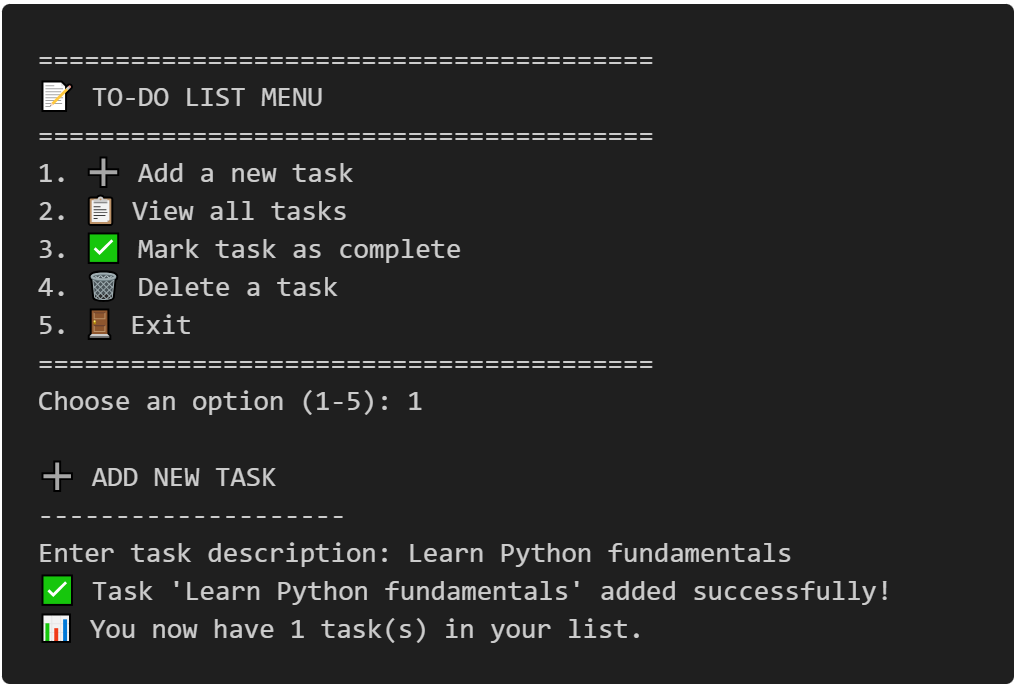
Building a Python To-Do CLI app is the perfect project for mastering Python lists and loops as a beginner. This comprehensive step-by-step tutorial teaches you how to create a fully functional command-line to-do application from scratch. You'll learn essential Python programming concepts including list manipulation, loop iteration, user input handling, and function design through practical, hands-on coding. By the end of this tutorial, you'll have built a working Python CLI application with features like adding tasks, marking items complete, and deleting entries—all while understanding the core concepts that power real-world Python applications.
Table of Contents
Prerequisites
- Basic Python installation (Python 3.7 or higher)
- Text editor or IDE (VS Code, PyCharm, or similar)
- Basic understanding of Python variables and functions
Implementation Details
Building a solid foundation in Python programming requires mastering two fundamental concepts: lists and loops. These powerful tools work together to help you store, organize, and process data efficiently. In this comprehensive step-by-step tutorial, you'll learn both concepts from scratch and apply them by building a complete command-line to-do application.
Why Lists and Loops Matter for Beginners
Python lists and loops form the backbone of data manipulation in programming. Whether you're processing user input, managing collections of data, or automating repetitive tasks, these concepts appear in virtually every Python project. By the end of this tutorial, you'll understand how to combine lists and loops to create practical, real-world applications.
Part 1: Python Lists Fundamentals
What Are Python Lists?
A Python list is an ordered, mutable (changeable) collection that can store multiple items in a single variable. Think of a list as a container that holds related items in a specific order.
Basic List Creation
# Creating your first list
fruits = ["apple", "banana", "cherry"]
print(fruits)
fruits =creates a variable named "fruits".["apple", "banana", "cherry"]creates a list containing three string elements.- Square brackets
[]define the list boundaries. print(fruits)displays the entire list to the console.
The output ['apple', 'banana', 'cherry'] shows
Python's standard list representation, where single quotes are used regardless of how you
originally defined the strings.
Mixed Data Types
# Creating your first list
fruits = ["apple", "banana", "cherry"]
print(fruits)
"Python"is a string (text data).2025is an integer (whole number).Trueis a boolean (True/False value).3.14is a float (decimal number).
All these different data types coexist within a single list, which is a powerful feature of Python.
Key List Properties
Lists have three essential characteristics that make them powerful:
- Ordered: Items maintain their position
- Mutable: You can change, add, or remove items
- Allow Duplicates: Same values can appear multiple times
Demonstrating list properties
shopping_list = ["eggs", "milk", "bread", "eggs"]  # Duplicates allowed
print(f"First item: {shopping_list[0]}")  # Output: First item: eggs
shopping_list[1] = "almond milk"  # Mutable - can change items
print(shopping_list)  # Output: ['eggs', 'almond milk', 'bread', 'eggs']
Creating Lists in Multiple Ways
# Method 1: Square brackets (most common)
colors = ["red", "green", "blue"]

# Method 2: list() constructor
numbers = list([1, 2, 3, 4, 5])

# Method 3: Empty list
empty_list = []
# or
empty_list = list()

# Method 4: List comprehension (advanced)
squares = [x**2 for x in range(5)]  # [0, 1, 4, 9, 16]
Part 2: Working with Lists - Essential Operations
Accessing List Elements
Python uses zero-based indexing, which means counting starts from 0 instead of 1. This is a fundamental concept borrowed from computer memory addressing where the first memory location is at offset 0.
programming_languages = ["Python", "JavaScript", "Java", "C++"]
- Position 0:
"Python" - Position 1:
"JavaScript" - Position 2:
"Java" - Position 3:
"C++"
Index Mapping:
Positive Indexing (Left to Right)
Forward Access
    print(programming_languages[0])  # Python
    print(programming_languages[1])  # JavaScript
[0]retrieves the first element from the left.[1]retrieves the second element from the left.- Indexing flows naturally from left to right: 0, 1, 2, 3...
Negative Indexing (Right to Left)
Reverse Access
    print(programming_languages[-1])  # C++
    print(programming_languages[-2])  # Java
[-1]always gives you the last element.[-2]gives you the second-to-last element.- Index mapping: -4="Python", -3="JavaScript", -2="Java", -1="C++".
List Length Function
Size Determination
print(len(programming_languages)) # 4
List Slicing - Extracting Portions
List slicing is a powerful Python feature that allows you to extract a portion (subset) of a list by specifying a range of indices. Instead of accessing individual elements, slicing creates a new list containing selected elements from the original list.
Basic Syntax
list_name[start:stop:step]
- start: Starting index (inclusive) - where to begin the slice.
- stop: Ending index (exclusive) - where to end the slice.
- step: Step size (optional) - how many elements to skip.
    pythonnumbers = [0, 1, 2, 3, 4, 5, 6, 7, 8, 9]

    # Basic slicing: [start:end:step]
    print(numbers[2:5])    # [2, 3, 4] - items 2 to 4
    print(numbers[:3])     # [0, 1, 2] - first 3 items
    print(numbers[7:])     # [7, 8, 9] - from index 7 to end
    print(numbers[::2])    # [0, 2, 4, 6, 8] - every 2nd item
    print(numbers[::-1])   # [9, 8, 7, 6, 5, 4, 3, 2, 1, 0] - reversed
Essential List Methods
    # Starting with a simple list
    tasks = ["code review", "write tests"]

    # Adding items
    tasks.append("deploy app")          # Add to end
    tasks.insert(1, "fix bugs")         # Add at specific position
    tasks.extend(["document code", "update readme"])  # Add multiple items

    print(tasks)
    # Output: ['code review', 'fix bugs', 'write tests', 'deploy app', 'document code', 'update readme']
    # Removing items
    tasks.remove("fix bugs")            # Remove first occurrence
    last_task = tasks.pop()             # Remove and return last item
    second_task = tasks.pop(1)          # Remove and return item at index 1

    print(f"Removed: {last_task}")      # Removed: update readme
    print(f"Current tasks: {tasks}")
    print(tasks)
    # Finding items
    if "deploy app" in tasks:
        print("Deployment is on the list!")

    # Get index of item
    index = tasks.index("deploy app")
    print(f"Deploy app is at position: {index}")
List Method
append()- Adds a single item to the end of the list.insert()- Adds an item at a specific position.extend()- Adds multiple items from an iterable to the end.extend()- Removes the first occurrence of a specific value.pop()- Removes and returns item at specified index.index()- Returns the index of the first occurrence of an item.
Part 3: Python Loops Fundamentals
Loops in Python are used to repeat actions efficiently. The main types are For loops (counting through items) and While loops (based on conditions).
Understanding For Loops
For loops iterate over sequences, executing code for each item. They're perfect for processing lists:
Basic Syntax
for variable in iterable:
# Code to execute repeatedly
pass
# Basic for loop with a list
fruits = ["apple", "banana", "cherry"]

for fruit in fruits:
    print(f"I like {fruit}")

# Output:
# I like apple
# I like banana
# I like cherry
For Loops with Range
The range() function generates sequences of numbers:
Basic Syntax
# range(stop) - starts at 0
for i in range(5):      # range(start, stop)
    print(i)       # Output: 0, 1, 2, 3, 4
for i in range(2, 7):   # range(start, stop, step)
    print(i)       # Output: 2, 3, 4, 5, 6
for i in range(0, 10, 2):
    print(i)       # Output: 0, 2, 4, 6, 8
While Loops for Conditional Iteration
A while loop is a programming construct that
repeatedly executes a block of code as long as a specified condition remains true.
Basic Syntax
while condition:
    # Code to execute repeatedly# Update condition to eventually make it False
    pass
while loop continue executing as long as a condition
is True:
# Basic while loop
count = 0
while count < 3:
    print(f"Count is: {count}")
    # Important: increment to avoid infinite loop
    count += 1   # Output:# Count is: 0# Count is: 1# Count is: 2# While loop with user input
user_input = ""
while user_input.lower() != "quit":
    user_input = input("Enter 'quit' to exit: ")
    if user_input.lower() != "quit":
        print(f"You entered: {user_input}")
Output
Count is: 0
Count is: 1
Count is: 2
Enter 'quit' to exit: q
You entered: q
Enter 'quit' to exit: quit
Loop Control: Break and Continue
numbers = [1, 2, 3, 4, 5, 6, 7, 8, 9, 10]

# Using break to exit early
for num in numbers:
    if num == 5:
        break  # Stop the loop completely
    print(num)  # Prints: 1, 2, 3, 4

print("---")

# Using continue to skip iteration
for num in numbers:
    if num % 2 == 0:  # Skip even numbers
        continue
    print(num)  # Prints: 1, 3, 5, 7, 9
Output
2
3
4
---
1
3
5
7
9
Part 4: Combining Lists and Loops
Iterating Through Lists with Index
Understanding For Loops
For loops iterate over sequences, executing code for each item. They're perfect for processing lists:
programming_languages = ["Python", "JavaScript", "Java", "C++"]
# Method 1: for index and value
for index, language in enumerate(programming_languages):
    print(f"{index + 1}. {language}")
The enumerate() function is a built-in Python method
that adds a counter to an iterable (like lists, strings, tuples) and returns an enumerate
object. It provides both the index and the value of each element simultaneously during
iteration.
Output
1. python
2. javascript
3. java
4. c++
programming_languages = ["Python", "JavaScript", "Java", "C++"]
for i in range(len(programming_languages)):
    print(f"Language {i}: {programming_languages[i]}")
Output
Language 0: python
Language 1: javascript
Language 2: java
Language 3: c++
Processing Lists with Loops
# Example: Grade calculator
grades = [85, 92, 78, 96, 88]

# Calculate average
total = 0
for grade in grades:
    total += grade
average = total / len(grades)
print(f"Average grade: {average:.1f}")

highest = grades[0]
lowest = grades[0]

for grade in grades:
    # Conditions is to find the highest grade
    if grade > highest:
        highest = grade
    # Conditions is to find the lowest grade
    if grade < lowest:
        lowest = grade

print(f"Highest: {highest}, Lowest: {lowest}")
Output
Average grade: 87.8
Highest: 96, Lowest: 78
List Comprehensions - Advanced Pattern
List comprehension is a concise, elegant way to create lists in Python by combining a loop and optional conditional logic into a single, readable line of code.
Basic Syntax
[expression for item in iterable]
Components:
- Expression: What to do with each item (the output).
- Item: Variable representing each element.
- Iterable: The source sequence (list, string, range, etc.).
It provides a more compact alternative to traditional for loops when building new lists based on existing.
# Traditional approach
squares = []
for x in range(10):
    squares.append(x**2)

# List comprehension (more Pythonic)
squares = [x**2 for x in range(10)]
print(squares)  # [0, 1, 4, 9, 16, 25, 36, 49, 64, 81]# With conditions
even_squares = [x**2 for x in range(10) if x % 2 == 0]
print(even_squares)  # [0, 4, 16, 36, 64]
Output
# Traditional approach
[0, 1, 4, 9, 16, 25, 36, 49, 64, 81]
# List comprehension
[0, 4, 16, 36, 64]
Part 5: Building a To-Do CLI App - Complete Project
Now let's apply everything you've learned by building a fully functional command-line to-do application. This project demonstrates practical use of lists, loops, and user interaction.
Project Overview
Our to-do app will feature:
- Add new tasks.
- View all tasks with numbers.
- Mark tasks as complete.
- Delete tasks.
- Simple, user-friendly interface.
Step 1: Python Project Setup and Structure
Understanding the Application Architecture
Let's start by creating the main structure of our Python CLI application:
"""
Simple To-Do List Application
A beginner-friendly CLI app demonstrating lists and loops
"""

def main():
    """Main function to run the to-do application"""
    print("=== Welcome to Your Personal To-Do List ===")

    # This will store our tasks as a list of dictionaries
    # Each task will have: {'task': 'description', 'completed': False}
    tasks = []

    # Main application loop
    while True:
        show_menu()
        choice = get_user_choice()

        if choice == '1':
            add_task(tasks)
        elif choice == '2':
            view_tasks(tasks)
        elif choice == '3':
            complete_task(tasks)
        elif choice == '4':
            delete_task(tasks)
        elif choice == '5':
            print("Thank you for using the To-Do List app!")
            break
        else:
            print("❌ Invalid choice. Please try again.")

if __name__ == "__main__":
    main()
🔍 Code Breakdown: Main Application Structure
Key Programming Concepts Explained:
- Data Structure Choice: We use
tasks = []to create an empty list that will store dictionaries- Each task is a dictionary:
{'task': 'Buy groceries', 'completed': False} - This allows us to store both the task description and completion status
- Each task is a dictionary:
- Infinite Loop Pattern:
while True:creates a continuous loop.- The application keeps running until the user chooses to exit.
- This is a common pattern in command-line applications.
- Function Organization: Each feature gets its own function
show_menu()- displays options to the user.add_task()- adds new tasks to the list.view_tasks()- shows all current tasks.complete_task()- marks tasks as done.delete_task()- removes tasks from the list.
- Control Flow: The
if-elif-elsechain handles user choices.- Each number (1-5) triggers a different function.
- Invalid choices show an error message.
Step 2: Creating the Menu System for Your Python CLI App
Building an Interactive Command-Line Interface
The menu system is crucial for user experience in CLI Python applications:
def show_menu():
    """Display the main menu options"""
    print("\n" + "="*40)
    print("📝 TO-DO LIST MENU")
    print("="*40)
    print("1. ➕ Add a new task")
    print("2. 📋 View all tasks")
    print("3. ✅ Mark task as complete")
    print("4. 🗑️ Delete a task")
    print("5. 🚪 Exit")
    print("="*40)

def get_user_choice():
    """Get and validate user menu choice"""
    while True:
        choice = input("Choose an option (1-5): ").strip()
        if choice in ['1', '2', '3', '4', '5']:
            return choice
        print("❌ Please enter a number between 1 and 5.")
🔍 Code Breakdown: Menu System Functions
Essential Concepts for CLI Applications:
- String Formatting:
"="*40creates a decorative line.- This makes the interface more visually appealing
- Common technique in command-line applications
- Input Validation Loop:
get_user_choice()ensures valid input.- Uses
while True:to keep asking until valid input is received. .strip()removes extra spaces from user input.if choice in ['1', '2', '3', '4', '5']:checks for valid options.
- Uses
- User Experience Enhancement:
- Emojis make the interface friendly and modern.
- Clear separation with lines and spacing.
- Descriptive option names help users understand functionality.
Step 3: Adding Tasks - Core Functionality for Python Lists
Implementing Task Creation with Validation
The add_task function demonstrates Python list manipulation and input validation:
def add_task(tasks):
    """Add a new task to the task list"""
    print("\n➕ ADD NEW TASK")
    print("-" * 20)

    while True:
        task_description = input("Enter task description: ").strip()

        # Validate input
        if not task_description:
            print("❌ Task cannot be empty. Please try again.")
            continue

        if len(task_description) > 100:
            print("❌ Task too long (max 100 characters). Please shorten it.")
            continue

        # Create new task
        new_task = {
            'task': task_description,
            'completed': False
        }

        tasks.append(new_task)
        print(f"✅ Task '{task_description}' added successfully!")
        print(f"📊 You now have {len(tasks)} task(s) in your list.")
        break
🔍 Code Breakdown: Adding Tasks Function
Key Learning Points for Python Lists:
- Input Validation Strategies:
if not task_description:checks for empty strings.len(task_description) > 100prevents overly long tasks.- Multiple validation checks ensure data quality.
- Dictionary Creation for Task Storage:
new_task = { 'task': task_description, # The actual task text 'completed': False # Boolean status flag } - User Experience Enhancement:
tasks.append(new_task)adds the dictionary to our list.len(tasks)gives us the current count of tasks.
- Loop Control::
continuerestarts the loop when validation fails.breakexits the loop when a valid task is added.
Step 4: Viewing Tasks - Python Loops and Data Display
Creating a Comprehensive Task Display System
The view_tasks function showcases Python loops and
data formatting:
def view_tasks(tasks):
    """Display all tasks with their status"""
    print("\n📋 YOUR TASKS")
    print("-" * 30)

    if not tasks:  # Check if list is empty
        print("📭 No tasks yet! Add some tasks to get started.")
        return

    # Display tasks with numbers
    for index, task in enumerate(tasks, 1):
        status = "✅" if task['completed'] else "⏳"
        task_text = task['task']

        # Add strikethrough effect for completed tasks (visual enhancement)
        if task['completed']:
            task_text = f"~~{task_text}~~"

        print(f"{index:2d}. {status} {task_text}")

    # Summary statistics
    total_tasks = len(tasks)
    completed_tasks = sum(1 for task in tasks if task['completed'])
    pending_tasks = total_tasks - completed_tasks
    print("-" * 30)
    print(f"📊 Total: {total_tasks} | ✅ Completed: {completed_tasks} | ⏳ Pending: {pending_tasks}")
🔍 Code Breakdown: Task Viewing Function
Advanced Python Concepts Demonstrated:
- Empty List Handling:
if not tasks: # This checks if the list is empty print("📭 No tasks yet! Add some tasks to get started.") return # Exit function early - Enumerate Function for Indexing:
for index, task in enumerate(tasks, 1): # enumerate gives us both the position and the item # Starting from 1 instead of 0 for user-friendly numbering - Conditional Expressions (Ternary Operator)::
status = "✅" if task['completed'] else "⏳" # Short way to write if-else for simple assignments - String Formatting::
print(f"{index:2d}. {status} {task_text}") # {index:2d} formats the number with 2 digits, right-aligned - Generator Expression for Counting::
completed_tasks = sum(1 for task in tasks if task['completed'])
# Counts how many tasks have completed=True
Sample Output: What Users Will See
Output
📋 YOUR TASKS
------------------------------
1. ⏳ Buy groceries
2. ✅ ~~Learn Python basics~~
3. ⏳ Write blog post
4. ✅ ~~Exercise for 30 minutes~~
------------------------------
📊 Total: 4 | ✅ Completed: 2 | ⏳ Pending: 2
Step 5: Completing Tasks - Python Error Handling
Implementing Task Completion with Robust Error Handling
The complete_task function demonstrates error handling and list indexing:
def complete_task(tasks):
    """Mark a task as completed"""
    print("\n✅ MARK TASK AS COMPLETE")
    print("-" * 25)

    if not tasks:
        print("📭 No tasks to complete!")
        return

    # Show current tasks
    view_tasks(tasks)

    while True:
        try:
            task_num = input("\nEnter task number to complete (or 'c' to cancel): ").strip()

            if task_num.lower() == 'c':
                print("❌ Operation cancelled.")
                return

            task_index = int(task_num) - 1  # Convert to 0-based index

            # Validate task number
            if task_index < 0 or task_index >= len(tasks):
                print(f"❌ Invalid task number. Please enter 1-{len(tasks)}.")
                continue

            # Check if already completed
            if tasks[task_index]['completed']:
                print("ℹ️  This task is already completed!")
                return

            # Mark as completed
            tasks[task_index]['completed'] = True
            task_name = tasks[task_index]['task']
            print(f"🎉 Task '{task_name}' marked as completed!")
            break

        except ValueError:
            print("❌ Please enter a valid number.")
🔍 Code Breakdown: Task Completion Function
Error Handling and Validation Techniques:
- Try-Except Block for Input Conversion:
try: task_index = int(task_num) - 1 # This might raise ValueError except ValueError: print("❌ Please enter a valid number.")- Catches errors when user enters non-numeric input.
- Prevents the program from crashing.
- Index Conversion for Lists:
task_index = int(task_num) - 1 # Convert 1-based to 0-based # User sees: 1, 2, 3, 4 # List uses: 0, 1, 2, 3 - Bounds Checking:
if task_index < 0 or task_index >= len(tasks): # Prevents IndexError by checking valid range - State Validation:
if tasks[task_index]['completed']: print("ℹ️ This task is already completed!") # Prevents unnecessary operations - Direct Dictionary Modification:
tasks[task_index]['completed'] = True
# Changes the boolean value in the dictionary
User Experience Flow: Task Completion
Output
✅ MARK TASK AS COMPLETE
-------------------------
📋 YOUR TASKS
------------------------------
1. ⏳ Buy groceries
2. ⏳ Learn Python basics
3. ⏳ Write blog post
------------------------------
Enter task number to complete (or 'c' to cancel): 2
🎉 Task 'Learn Python basics' marked as completed!
Step 6: Deleting Tasks - Advanced List Operations
Implementing Safe Task Deletion
The delete_task function shows list manipulation and confirmation prompts:
def delete_task(tasks):
    """Delete a task from the list"""
    print("\n🗑️ DELETE TASK")
    print("-" * 15)

    if not tasks:
        print("📭 No tasks to delete!")
        return

    # Show current tasks
    view_tasks(tasks)

    while True:
        try:
            task_num = input("\nEnter task number to delete (or 'c' to cancel): ").strip()

            if task_num.lower() == 'c':
                print("❌ Operation cancelled.")
                return

            task_index = int(task_num) - 1  # Convert to 0-based index

            # Validate task number
            if task_index < 0 or task_index >= len(tasks):
                print(f"❌ Invalid task number. Please enter 1-{len(tasks)}.")
                continue

            # Confirm deletion
            task_name = tasks[task_index]['task']
            confirm = input(f"⚠️  Are you sure you want to delete '{task_name}'? (y/n): ").strip().lower()

            if confirm == 'y':
                deleted_task = tasks.pop(task_index)  # Remove and return the task
                print(f"🗑️  Task '{deleted_task['task']}' deleted successfully!")
                print(f"📊 You now have {len(tasks)} task(s) remaining.")
            else:
                print("❌ Deletion cancelled.")
            break

        except ValueError:
            print("❌ Please enter a valid number.")
🔍 Code Breakdown: Task Deletion Function
Advanced List Operations and Safety Features:
- Pop Method for Removal:
deleted_task = tasks.pop(task_index) # pop() removes the item AND returns it # This allows us to show what was deleted - Two-Step Confirmation Process:
# Step 1: User selects task number task_num = input("Enter task number to delete: ") # Step 2: User confirms deletion confirm = input(f"Are you sure? (y/n): ") - Case-Insensitive Input:
confirm = input("...").strip().lower() # Handles: 'Y', 'yes', 'YES', ' y ', etc. - Informative Feedback:
print(f"🗑️  Task '{deleted_task['task']}' deleted successfully!")
print(f"📊 You now have {len(tasks)} task(s) remaining.")
Safety Features in Action
Output
🗑️ DELETE TASK
-------------------------
📋 YOUR TASKS
------------------------------
1. ⏳ Buy groceries
2. ✅ ~~Learn Python basics~~
3. ⏳ Write blog post
------------------------------
Enter task number to delete (or 'c' to cancel): 1
⚠️ Are you sure you want to delete 'Buy groceries'? (y/n): y
🗑️ Task 'Buy groceries' deleted successfully!
📊 You now have 2 task(s) remaining.
Step 7: Complete Python To-Do CLI App Code
Here's the complete, production-ready Python to-do application:
"""
Complete To-Do List Application
Demonstrates Python lists, loops, and basic CLI interaction
"""

def show_menu():
    """Display the main menu options"""
    print("\n" + "="*40)
    print("📝 TO-DO LIST MENU")
    print("="*40)
    print("1. ➕ Add a new task")
    print("2. 📋 View all tasks")
    print("3. ✅ Mark task as complete")
    print("4. 🗑️ Delete a task")
    print("5. 🚪 Exit")
    print("="*40)

def get_user_choice():
    """Get and validate user menu choice"""
    while True:
        choice = input("Choose an option (1-5): ").strip()
        if choice in ['1', '2', '3', '4', '5']:
            return choice
        print("❌ Please enter a number between 1 and 5.")

def add_task(tasks):
    """Add a new task to the task list"""
    print("\n➕ ADD NEW TASK")
    print("-" * 20)

    while True:
        task_description = input("Enter task description: ").strip()

        if not task_description:
            print("❌ Task cannot be empty. Please try again.")
            continue

        if len(task_description) > 100:
            print("❌ Task too long (max 100 characters). Please shorten it.")
            continue

        new_task = {
            'task': task_description,
            'completed': False
        }

        tasks.append(new_task)
        print(f"✅ Task '{task_description}' added successfully!")
        print(f"📊 You now have {len(tasks)} task(s) in your list.")
        break

def view_tasks(tasks):
    """Display all tasks with their status"""
    print("\n📋 YOUR TASKS")
    print("-" * 30)

    if not tasks:
        print("📭 No tasks yet! Add some tasks to get started.")
        return

    for index, task in enumerate(tasks, 1):
        status = "✅" if task['completed'] else "⏳"
        task_text = task['task']

        if task['completed']:
            task_text = f"~~{task_text}~~"

        print(f"{index:2d}. {status} {task_text}")

    total_tasks = len(tasks)
    completed_tasks = sum(1 for task in tasks if task['completed'])
    pending_tasks = total_tasks - completed_tasks
    print("-" * 30)
    print(f"📊 Total: {total_tasks} | ✅ Completed: {completed_tasks} | ⏳ Pending: {pending_tasks}")

def complete_task(tasks):
    """Mark a task as completed"""
    print("\n✅ MARK TASK AS COMPLETE")
    print("-" * 25)

    if not tasks:
        print("📭 No tasks to complete!")
        return

    view_tasks(tasks)

    while True:
        try:
            task_num = input("\nEnter task number to complete (or 'c' to cancel): ").strip()

            if task_num.lower() == 'c':
                print("❌ Operation cancelled.")
                return

            task_index = int(task_num) - 1

            if task_index < 0 or task_index >= len(tasks):
                print(f"❌ Invalid task number. Please enter 1-{len(tasks)}.")
                continue

            if tasks[task_index]['completed']:
                print("ℹ️  This task is already completed!")
                return

            tasks[task_index]['completed'] = True
            task_name = tasks[task_index]['task']
            print(f"🎉 Task '{task_name}' marked as completed!")
            break

        except ValueError:
            print("❌ Please enter a valid number.")

def delete_task(tasks):
    """Delete a task from the list"""
    print("\n🗑️ DELETE TASK")
    print("-" * 15)

    if not tasks:
        print("📭 No tasks to delete!")
        return

    view_tasks(tasks)

    while True:
        try:
            task_num = input("\nEnter task number to delete (or 'c' to cancel): ").strip()

            if task_num.lower() == 'c':
                print("❌ Operation cancelled.")
                return

            task_index = int(task_num) - 1

            if task_index < 0 or task_index >= len(tasks):
                print(f"❌ Invalid task number. Please enter 1-{len(tasks)}.")
                continue

            task_name = tasks[task_index]['task']
            confirm = input(f"⚠️  Are you sure you want to delete '{task_name}'? (y/n): ").strip().lower()

            if confirm == 'y':
                deleted_task = tasks.pop(task_index)
                print(f"🗑️  Task '{deleted_task['task']}' deleted successfully!")
                print(f"📊 You now have {len(tasks)} task(s) remaining.")
            else:
                print("❌ Deletion cancelled.")
            break

        except ValueError:
            print("❌ Please enter a valid number.")

def main():
    """Main function to run the to-do application"""
    print("=== Welcome to Your Personal To-Do List ===")
    print("This app demonstrates Python lists and loops in action!")

    tasks = []

    while True:
        show_menu()
        choice = get_user_choice()

        if choice == '1':
            add_task(tasks)
        elif choice == '2':
            view_tasks(tasks)
        elif choice == '3':
            complete_task(tasks)
        elif choice == '4':
            delete_task(tasks)
        elif choice == '5':
            print("\n🎉 Thank you for using the To-Do List app!")
            print("Keep coding and stay organized! 💻")
            break

if __name__ == "__main__":
    main()
Step 8: Running Your To-Do App
Follow these simple steps to run your application:
- Save the code as
todo_app.py - Open terminal/command prompt
- Navigate to the file location using
cd - Run the application:
Run in Terminal
python todo_app.py
Project Conclusion
This comprehensive tutorial has equipped you with essential Python skills that form the foundation for more advanced programming concepts. The to-do CLI application demonstrates how seemingly simple concepts like lists and loops can combine to create practical, useful software. Keep practicing, experimenting, and building projects to reinforce your learning!
📱 Sample Application Flow
Here's what users will see when running the app:
Output
=== Welcome to Your Personal To-Do List ===
This app demonstrates Python lists and loops in action!
========================================
📝 TO-DO LIST MENU
========================================
1. ➕ Add a new task
2. 📋 View all tasks
3. ✅ Mark task as complete
4. 🗑️ Delete a task
5. 🚪 Exit
========================================
Choose an option (1-5): 1
➕ ADD NEW TASK
--------------------
Enter task description: Learn Python fundamentals
✅ Task 'Learn Python fundamentals' added successfully!
📊 You now have 1 task(s) in your list.
Remember: Programming is best learned by doing. Take the code examples, modify them, break them, fix them, and make them your own. Each error you encounter and solve makes you a stronger programmer.
Other Projects
Shooter Game
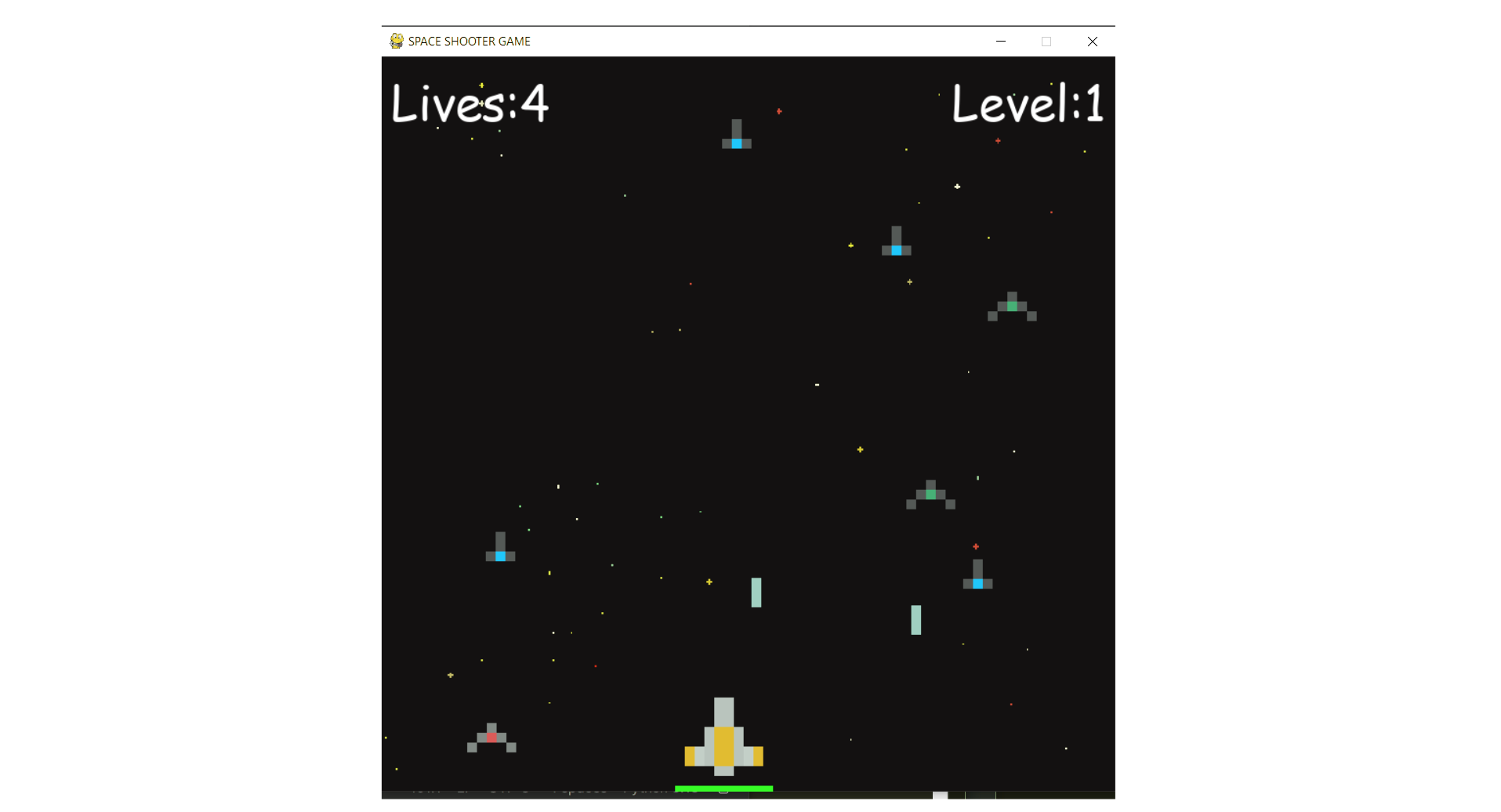
This is a beginner-friendly guide for building a Space Shooter game with Python and Pygame, covering coding concepts and project structure.
View Project →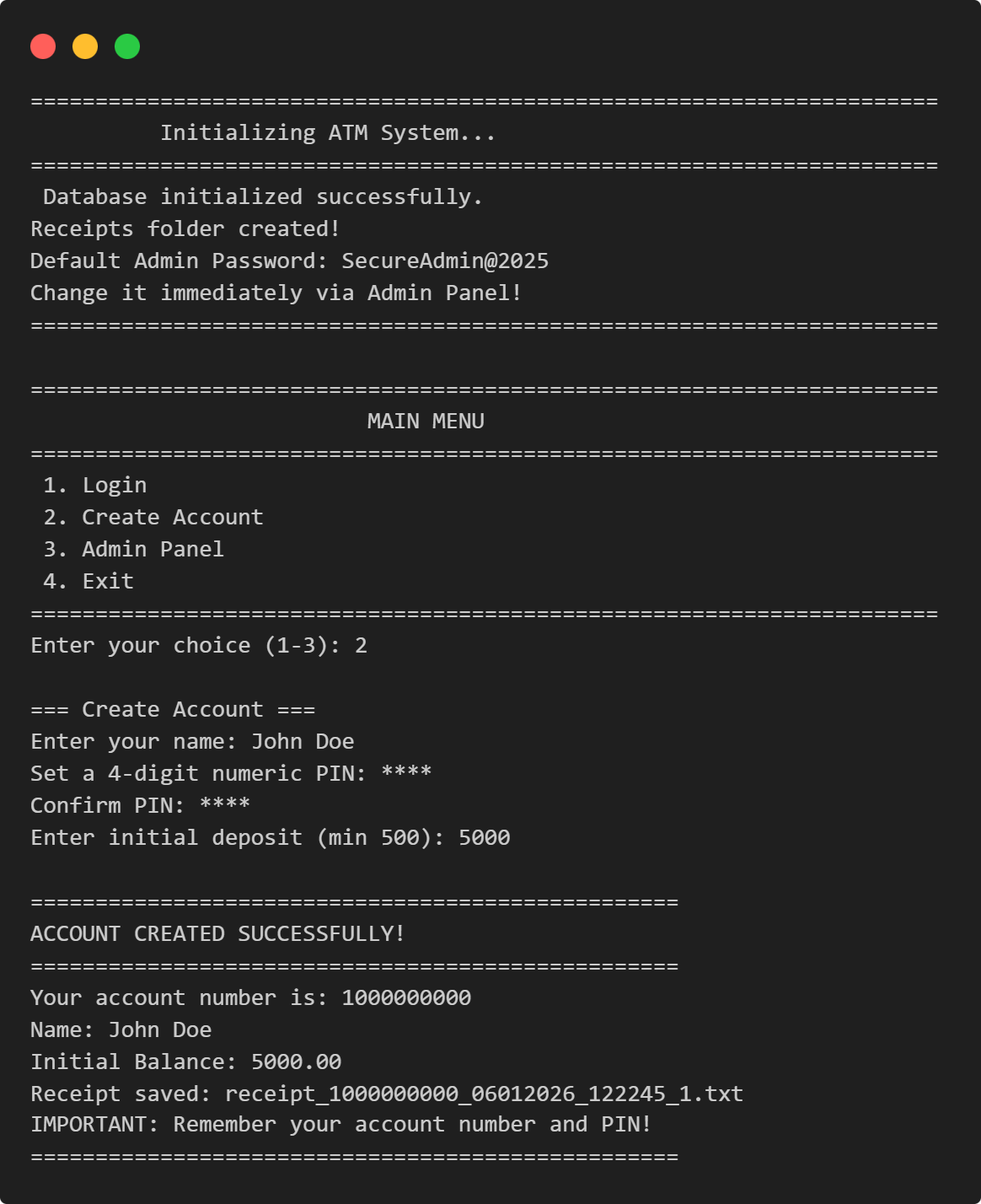
ATM Management System
This Python application implements a multi-user ATM system with SQLite-backed persistence, featuring account management, financial transactions, and administrative controls.
View Project →
Weather App
Responsive weather app with real-time API data, feature comparison, and intuitive design for global city forecasts.
View Project →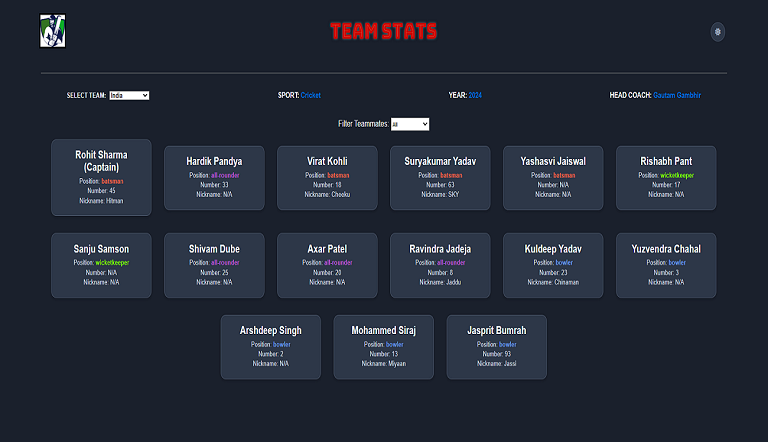
Team Card App
Interactive team card application for cricket, featuring dynamic team selection, player filters, and customizable light/dark themes.
View Project →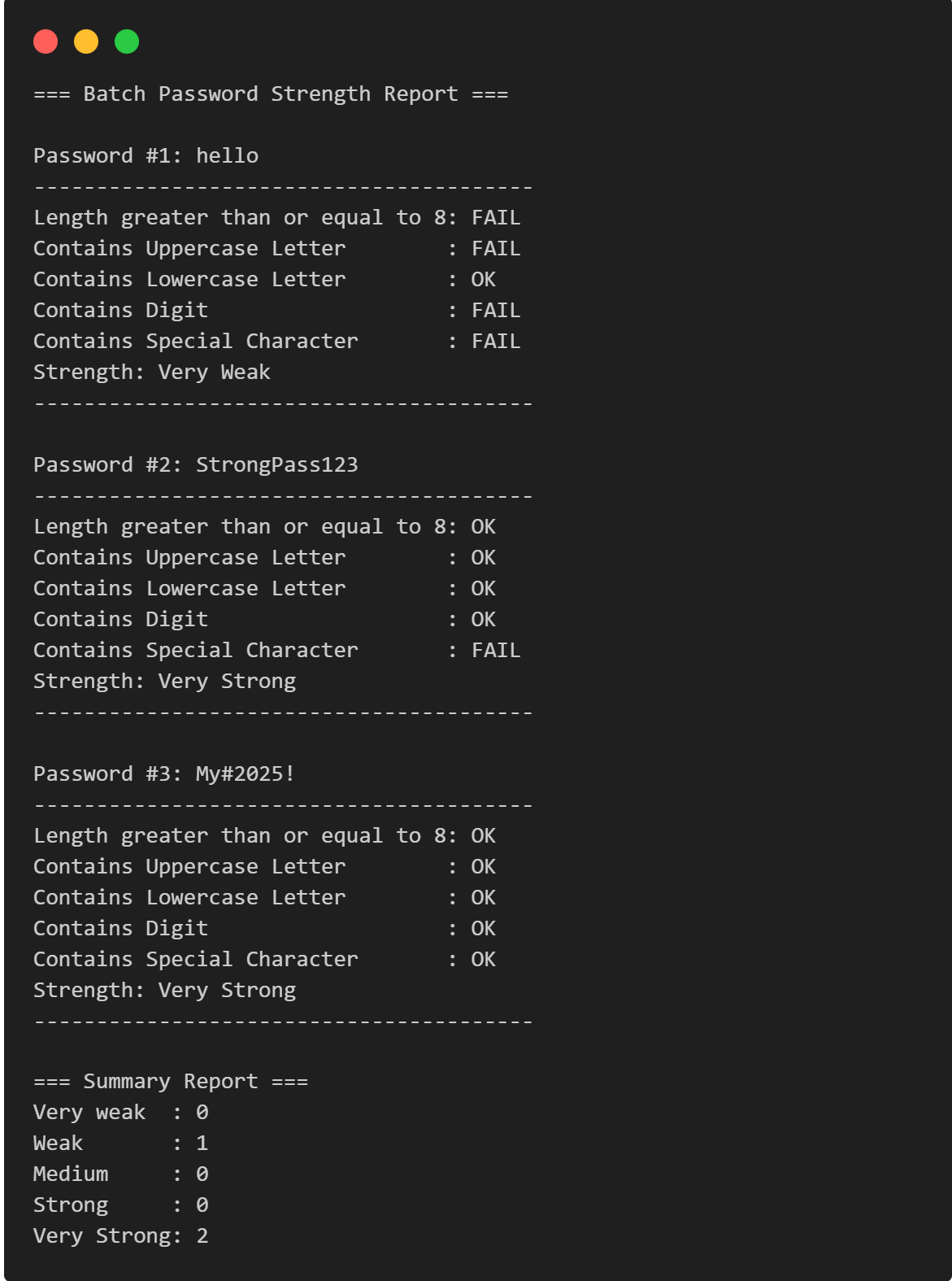
Password Strength Checker
Multi-Password Batch Strength Checker (C++), designed to check multiple passwords at once, show individual strength, and provide a summary report.
View Project →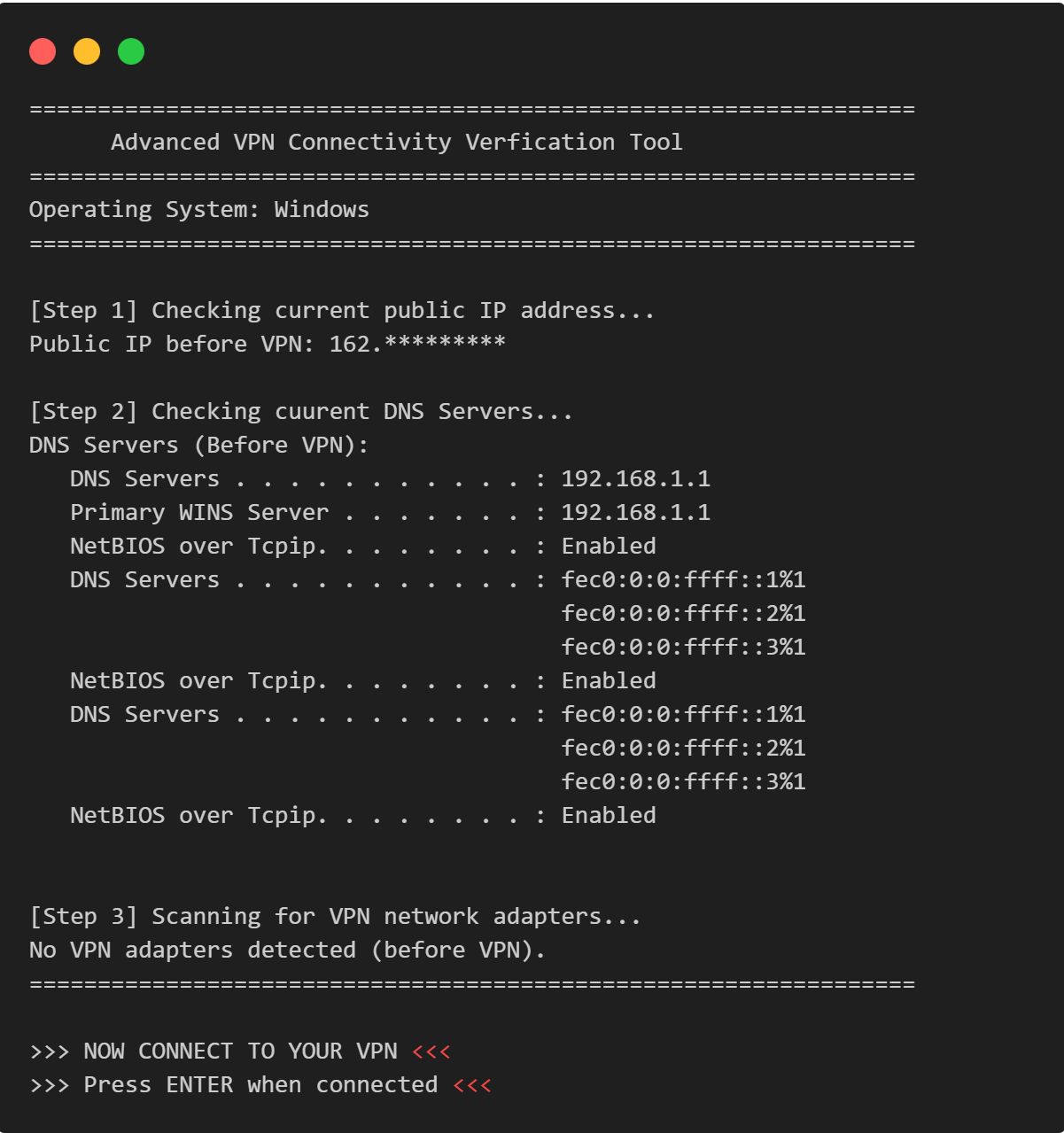
VPN Connectivity verification in C
Efficient C program to verify VPN status, routing, and DNS configurations through comprehensive public IP and network adapter analysis.
View Project →