
Password Strength Checker in C++: Build a Secure Multi-Password Validator
Learn How to Create a Password Strength Checker in C++: Step-by-Step Guide for Beginners
This comprehensive password strength checker C++ tutorial teaches you how to build a secure, production-ready password validator from scratch. Learn to create a multi-password batch analyzer that evaluates password security against five critical validation rules: minimum length, uppercase letters, lowercase characters, numeric digits, and special symbols. This beginner-friendly C++ security programming guide includes complete source code, ANSI color-coded terminal output, detailed step-by-step explanations, and practical examples for auditing password quality in authentication systems. Whether you're building user registration features or learning cybersecurity fundamentals, this tutorial provides the essential C++ password validation techniques you need.
A simple, efficient, and developer-friendly tool for anyone learning security, auditing password quality, or building authentication systems.
Implementation Details
This tool is a fast and powerful C++-based password strength analyzer designed to evaluate multiple passwords in a single run. It checks each password against key security rules, assigns a strength rating, and generates a clear summary report.
What This Project Does
- Check many passwords at once.
- Support manual input.
- Handle an unlimited list of passwords.
- Provide detailed rule-by-rule analysis.
- Display color-coded strength levels.
- Show a summary of all password categories.
Features
- Evaluates length, uppercase, lowercase, digits, and special characters.
- Assigns strength from Very Weak → Very Strong.
- Provides individual reports for every password.
- Generates a final summary with total counts for each category.
Program Flow and Logic
Here's how our Project works step by step:
START
  ↓
Get number of passwords (n)
  ↓
Read n passwords into vector
  ↓
Initialize counters
  ↓
FOR each password:
  ├─ Initialize rules[5] = {false}
  ├─ Call checkStrength()
  │   ├─ Check length ≥8
  │   ├─ Check uppercase
  │   ├─ Check lowercase
  │   ├─ Check digit
  │   ├─ Check special char
  │   └─ Return score (0-5)
  ├─ Get strength message
  ├─ Update counter
  └─ Display individual report
  ↓
Display summary report
  ↓
END
This program analyzes multiple passwords and evaluates their strength based on 5 security rules. Let me break down every part of this code in detail.
Purpose: Batch password strength analyzer that checks multiple passwords against security rules and provides a detailed report with color-coded feedback.
What it does:
- Accepts multiple passwords from the user.
- Checks each password against 5 strength rules.
- Assigns a strength score (0-5).
- Displays individual password reports.
- Provides a summary of all passwords analyzed.
Complete Source Code
Password Strength Checker.c
#include <iostream>
#include <string>
#include <vector>
#include <cctype> //standard library header that provides functions for character classification and manipulation.
using namespace std;

// ANSI color codes
namespace Color
{
    const string RESET = "\033[0m";
    const string RED = "\033[31m";
    const string GREEN = "\033[32m";
    const string YELLOW = "\033[33m";
    const string CYAN = "\033[36m";
    const string BLUE = "\033[34m";
}

// Function to Calculate Password Strength
int checkStrength(const string &password, bool rules[])
{
    int score = 0;

    // Rule 1: Minumum Length
    if (password.length() >= 8)
    {
        rules[0] = true;
        score++;
    }

    // Rule 2 : Uppercase Letter
    for (char c : password)
    {
        if (isupper(c))
        {
            rules[1] = true;
            score++;
            break;
        }
    }

    // Rule 3 : Lowercase Letter
    for (char c : password)
    {
        if (islower(c))
        {
            rules[2] = true;
            score++;
            break;
        }
    }

    // Rule 4 : Digit
    for (char c : password)
    {
        if (isdigit(c))
        {
            rules[3] = true;
            score++;
            break;
        }
    }

    // Rule 5: Special Character
    string special = "!@#$%^&*()-_=+{}[]|;:'\",.<>/?`~";
    for (char c : password)
    {
        if (special.find(c) != string::npos)
        {
            rules[4] = true;
            score++;
            break;
        }
    }

    return score;
}

// Convert score -> Strength Message
string getStrengthMessage(int score)
{
    switch (score)
    {
    case 0:
    case 1:
        return Color::RED + "Very Weak" + Color::RESET;
    case 2:
        return Color::YELLOW + "Medium" + Color::RESET;
    case 3:
        return Color::CYAN + "Strong" + Color::RESET;
    case 4:
    case 5:
        return Color::GREEN + "Very Strong" + Color::RESET;
    }

    return "Unknown";
}

int main()
{
    int n;
    cout << "Enter number of passwords to check: ";
    cin >> n;
    cin.ignore(); // To ignore the newline character after integer input

    vector passwords(n);
    cout << "Enter passwords (each on a new line):" << endl;

    for (int i = 0; i < n; i++)
    {
        getline(cin, passwords[i]);
    }

    // Strength Counters
    int countStrength[5] = {0};
    cout << Color::BLUE + "\n=== Batch Password Strength Report ===" + Color::RESET << endl;

    for (int i = 0; i < n; i++)
    {
        bool rules[5] = {false};
        int score = checkStrength(passwords[i], rules);
        string strength = getStrengthMessage(score);

        // Count Strength Type
        if (score == 0)
            countStrength[0]++;
        else if (score == 1)
            countStrength[1]++;
        else if (score == 2)
            countStrength[2]++;
        else if (score == 3)
            countStrength[3]++;
        else if (score >= 4)
            countStrength[4]++;

        cout << "\nPassword #" << i + 1 << ": " << Color::YELLOW + passwords[i] + Color::RESET << endl;
        cout << "----------------------------------------" << endl;
        cout << "Length greater than or equal to 8: " << (rules[0] ? "OK" : "FAIL") << endl;
        cout << "Contains Uppercase Letter        : " << (rules[1] ? "OK" : "FAIL") << endl;
        cout << "Contains Lowercase Letter        : " << (rules[2] ? "OK" : "FAIL") << endl;
        cout << "Contains Digit                   : " << (rules[3] ? "OK" : "FAIL") << endl;
        cout << "Contains Special Character       : " << (rules[4] ? "OK" : "FAIL") << endl;

        cout << "Strength: " << strength << endl;
        cout << "----------------------------------------" << endl;
    }

    // Summary Report
    cout << Color::BLUE + "\n=== Summary Report ===" + Color::RESET << endl;
    cout << "Very weak  : " << countStrength[0] << endl;
    cout << "Weak       : " << countStrength[1] << endl;
    cout << "Medium     : " << countStrength[2] << endl;
    cout << "Strong     : " << countStrength[3] << endl;
    cout << "Very Strong: " << countStrength[4] << endl;

    return 0;
}
Example Input
Output
Enter number of passwords to check: 3
Enter passwords:
hello
StrongPass123
My#2024!
Example Output
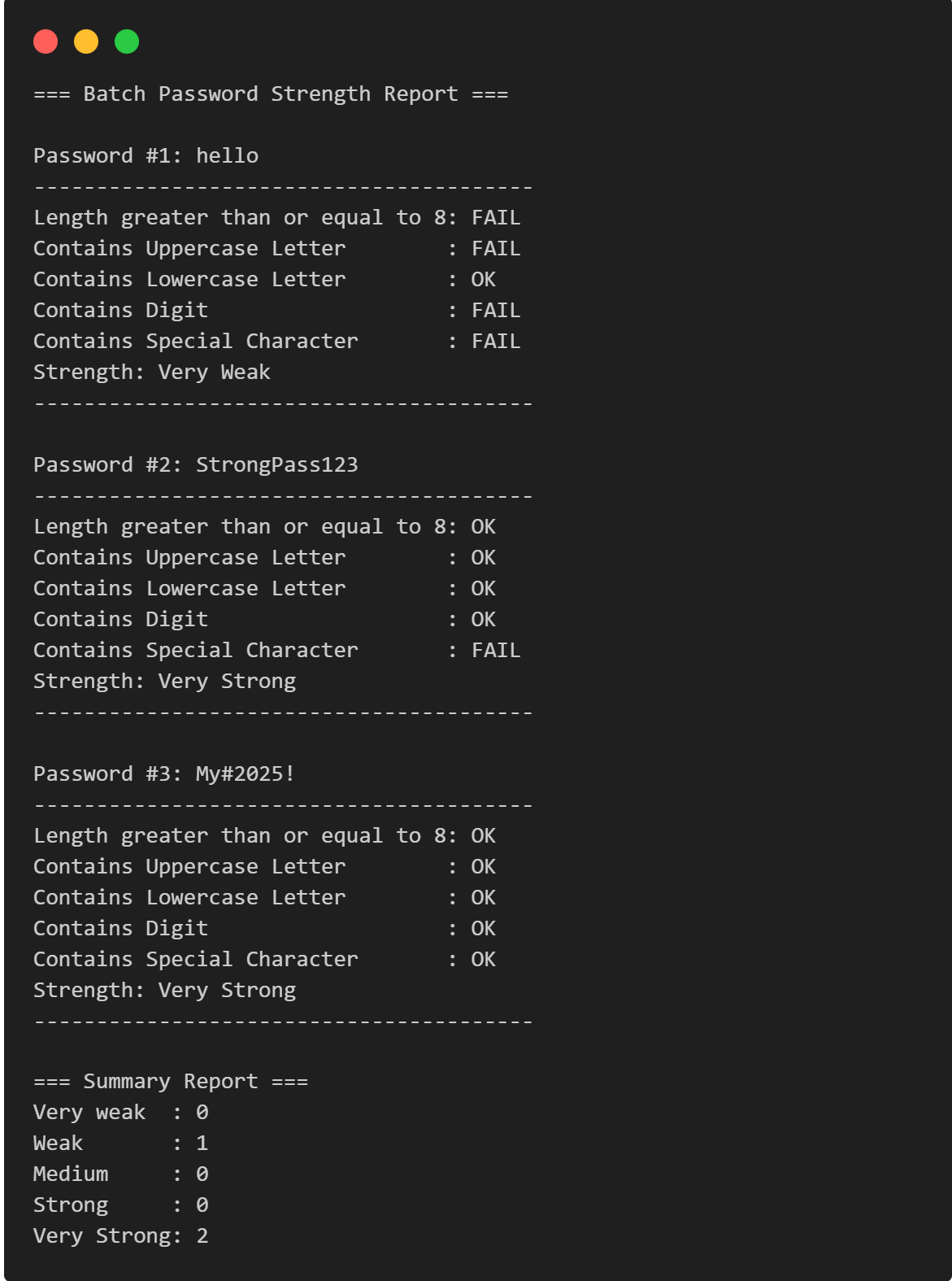
Here's what you'll see when running the program:
=== Batch Password Strength Report ===

Password #1: hello
----------------------------------------
Length greater than or equal to 8: FAIL
Contains Uppercase Letter        : FAIL
Contains Lowercase Letter        : OK
Contains Digit                   : FAIL
Contains Special Character       : FAIL
Strength: Very Weak
----------------------------------------

Password #2: StrongPass123
----------------------------------------
Length greater than or equal to 8: OK
Contains Uppercase Letter        : OK
Contains Lowercase Letter        : OK
Contains Digit                   : OK
Contains Special Character       : FAIL
Strength: Very Strong
----------------------------------------

Password #3: My#2025!
----------------------------------------
Length greater than or equal to 8: OK
Contains Uppercase Letter        : OK
Contains Lowercase Letter        : OK
Contains Digit                   : OK
Contains Special Character       : OK
Strength: Very Strong
----------------------------------------

=== Summary Report ===
Very weak  : 0
Weak       : 1
Medium     : 0
Strong     : 0
Very Strong: 2
Part 1: Header Files & Libraries
#include <iostream>
#include <string>
#include <vector>
#include <cctype>
using namespace std;
Breakdown:
| Header | Purpose | Functions Used |
|---|---|---|
<iostream> |
Input/Output operations | cout, cin, getline() |
<string> |
String manipulation | string class, .length(), .find() |
<vector> |
Dynamic arrays | vector |
<cctype> |
Character classification | isupper(), islower(), isdigit() |
Why cctype is important:
- Provides functions to check character types without writing manual ASCII comparisons.
- Cross-platform compatible.
- Efficient built-in implementations.
Part 2: Color System Using ANSI Codes
namespace Color
{
    const string RESET = "\033[0m";
    const string RED = "\033[31m";
    const string GREEN = "\033[32m";
    const string YELLOW = "\033[33m";
    const string CYAN = "\033[36m";
    const string BLUE = "\033[34m";
}
How ANSI Color Codes Work:
Structure: \033[<code>m
\033= ESC character (escape sequence start)[= Control Sequence Introducer<code>= Color code numberm= Terminator
Color Reference:
| Code | Color | Usage in Program |
|---|---|---|
31m |
Red | Very Weak passwords |
33m |
Yellow | Medium strength & password display |
36m |
Cyan | Strong passwords |
32m |
Green | Very Strong passwords |
34m |
Blue | Report headers |
0m |
Reset | Return to default terminal color |
Why use a namespace?
// Instead of writing this every time:
string colorCode = "\033[32m";

// You can write:
string colorCode = Color::GREEN;
✅ More readable, maintainable, and prevents naming conflicts.
Part 3: Password Strength Checker Function
int checkStrength(const string &password, bool rules[])
{
    int score = 0;
    // ... rules checking ...
    return score;
}
Function Signature Analysis:
Return Type: int - Returns score (0-5)
Parameters:
const string &passwordconst= Cannot modify the password inside function.&= Pass by reference (avoids copying the entire string).- More efficient for large strings.
bool rules[]- Array of 5 boolean values.
- Tracks which rules passed/failed.
- Modified inside function (no
const).
Rule 1: Minimum Length Check
if (password.length() >= 8)
{
    rules[0] = true;
    score++;
}
How .length() works:
- Returns the number of characters in the string.
- Example:
"Hello123"⟶ returns 8
Logic:
- If password has ≥8 characters ⟶ Set
rules[0] = true& increment score. - Industry standard: Most services require 8-12 character minimum.
Rule 2: Uppercase Letter Check
for (char c : password)
{
    if (isupper(c))
    {
        rules[1] = true;
        score++;
        break;
    }
}
Range-based for loop breakdown:
for (char c : password)
- Iterates through each character in
passwordstring. cholds one character at a time.- Example: Password "Ab1" ⟶ loop runs 3 times (c='A', c='b', c='1').
isupper(c) function:
- Checks if character
cis uppercase (A-Z). - Returns
trueif uppercase,falseotherwise. - Example:
isupper('A')⟶true,isupper('a')⟶false.
Why break?
- Once we find one uppercase letter, we exit the loop.
- No need to check remaining characters.
- Optimization: Prevents unnecessary iterations.
Rule 3: Lowercase Letter Check
for (char c : password)
{
    if (islower(c))
    {
        rules[2] = true;
        score++;
        break;
    }
}
islower(c) function:
- Checks if character is lowercase (a-z).
- Example:
islower('z')⟶true,islower('Z')⟶false.
Same pattern: Find one lowercase ⟶s mark rule passed ⟶ exit loop
Rule 4: Digit Check
for (char c : password)
{
    if (isdigit(c))
    {
        rules[3] = true;
        score++;
        break;
    }
}
isdigit(c) function:
- Checks if character is a digit (0-9).
- Example:
isdigit('7')⟶true,isdigit('A')⟶false.
Rule 5: Special Character Check
string special = "!@#$%^&*()-_=+{}[]|;:'\",.<>/?`~";
for (char c : password)
{
    if (special.find(c) != string::npos)
    {
        rules[4] = true;
        score++;
        break;
    }
}
How .find() works:
string special = "!@#$%^&*()-_=+{}[]|;:'\",.<>/?`~";
special.find('!')  → returns 0 (found at index 0)
special.find('@')  → returns 1 (found at index 1)
special.find('Z')  → returns string::npos (not found)
What is string::npos?
- Special constant meaning "not found".
- Usually equals
-1or maximumsize_tvalue. - Comparison:
!= string::nposmeans "character WAS found".
Logic:
- If password character exists in
specialstring → Rule passed.
Part 4: Strength Message Function
string getStrengthMessage(int score)
{
    switch (score)
    {
        case 0:
        case 1:
            return Color::RED + "Very Weak" + Color::RESET;
        case 2:
            return Color::YELLOW + "Medium" + Color::RESET;
        case 3:
            return Color::CYAN + "Strong" + Color::RESET;
        case 4:
        case 5:
            return Color::GREEN + "Very Strong" + Color::RESET;
    }
    return "Unknown";
}
Switch Statement Analysis:
Strength Levels:
| Score | Strength | Color | Rules Passed |
|---|---|---|---|
0-1 |
Very Weak | Red | 0-1 rules |
2 |
Medium | Yellow | 2 rules |
3 |
Strong | Cyan | 3 rules |
4-5 |
Very Strong | Green | 4-5 rules |
String Concatenation:
Color::RED + "Very Weak" + Color::RESET
This creates: "\033[31mVery Weak\033[0m"
\033[31m⟶ Switch to red colorVery Weak⟶ Display text\033[0m⟶ Reset to default color
Part 5: Main Function - User Input
int main()
{
    int n;
    cout << "Enter number of passwords to check: ";
    cin >> n;
    cin.ignore(); // Critical!
Why cin.ignore() is Essential:
The Problem:
Input Buffer: "5\n"
               ↑ ↑
               n newline leftover
When you type 5 and press Enter:
cin >> nreads5.\n(newline) remains in buffer.
What happens without cin.ignore():
cin >> n;           // Reads "5", leaves "\n"
getline(cin, str);  // Immediately reads "\n" as empty string!
Solution:
cin.ignore(); // Discards the leftover newline
Vector Initialization
vector<string> passwords(n);
What this does:
- Creates a vector (dynamic array) that can hold
nstrings. - Pre-allocates space for efficiency.
- Example: If
n=3, creates vector with 3 empty strings
Reading passwords:
for (int i = 0; i < n; i++)
{
    getline(cin, passwords[i]);
}
Why getline() instead of cin >> ?
| Method | Behavior | Best For |
|---|---|---|
cin >> password |
Stops at whitespace | Single words |
getline(cin, password) |
Reads entire line (including spaces) | Passwords with spaces |
Example:
Input: "Pass Word123"
cin >>        → reads "Pass" only
getline()     → reads "Pass Word123"
Part 6: Strength Analysis & Display
int countStrength[5] = {0};
Array for counting:
countStrength[0]= Very Weak count (score 0)countStrength[1]= Weak count (score 1)countStrength[2]= Medium count (score 2)countStrength[3]= Strong count (score 3)countStrength[4]= Very Strong count (score 4-5)
Processing Each Password
for (int i = 0; i < n; i++)
{
    bool rules[5] = {false};
    int score = checkStrength(passwords[i], rules);
    string strength = getStrengthMessage(score);
Step-by-step execution:
- Initialize rules array: All
false(no rules passed yet) - call
checkStrength(): - Analyzes password
- Returns score
- Modifies
rules[]array - Get strength message: Converts score to colored text
Categorizing Strength
if (score == 0)
    countStrength[0]++;
else if (score == 1)
    countStrength[1]++;
// ... etc
Counting logic:
- Increments the appropriate counter based on score.
- Used later for summary report.
Displaying Results
cout << "\nPassword #" << i + 1 << ": " << Color::YELLOW + passwords[i] + Color::RESET << endl;
cout << "----------------------------------------" << endl;
cout << "Length greater than or equal to 8: " << (rules[0] ? "OK" : "FAIL") << endl;
Ternary operator breakdown:
(rules[0] ? "OK" : "FAIL")
    ↑        ↑      ↑
condition   true  false
Example output:
Password #1: hello
----------------------------------------
Length greater than or equal to 8: FAIL
Contains Uppercase Letter        : FAIL
Contains Lowercase Letter        : OK
Contains Digit                   : FAIL
Contains Special Character       : FAIL
Strength: Very Weak
----------------------------------------
Part 7: Summary Report
cout << Color::BLUE + "\n=== Summary Report ===" + Color::RESET << endl;
cout << "Very weak  : " << countStrength[0] << endl;
cout << "Weak       : " << countStrength[1] << endl;
cout << "Medium     : " << countStrength[2] << endl;
cout << "Strong     : " << countStrength[3] << endl;
cout << "Very Strong: " << countStrength[4] << endl;
Example summary:
=== Summary Report ===
Very weak  : 1
Weak       : 0
Medium     : 2
Strong     : 1
Very Strong: 3
Key Concepts Used
1. Pass by Reference (&)
int checkStrength(const string &password, bool rules[])
- Efficient - no copying.
- Arrays are always passed by reference.
2. Range-based For Loop
for (char c : password)
- Cleaner syntax than traditional for loop.
- Automatically handles iteration.
3. Early Exit with break
for (char c : password)
- Performance optimization.
4. Ternary Operator
(condition ? valueIfTrue : valueIfFalse)
- Compact conditional assignment.
Try This Yourself
Exercise 1: Add a New Rule
Add a 6th rule: "No repeated characters (e.g., 'aaa' or '111')".
Exercise 2: Minimum Length Adjustment
Change the minimum length to 12 characters and update scoring
Exercise 3: Common Password Detection
Create a blacklist array:
string blacklist[] = {"password", "123456", "qwerty"};
Check if password matches any blacklisted password
Exercise 4: Export to File
Add functionality to save the report to a text file using <fstream>.
Common Mistakes to Avoid
- Forgetting
cin.ignore()→ First password reads as empty. - Not using
break→ Continues checking after finding match. - Using
cin >>instead ofgetline()→ Can't handle spaces. - Forgetting
Color::RESET→ Terminal stays colored after program. - Array out of bounds → Accessing
rules[5]instead ofrules[4].
Conclusion
This C++ project demonstrates an effective and practical implementation of a Multi-Password Batch Strength Checker, capable of analyzing multiple passwords in a single execution. By applying key programming concepts such as string handling, character classification, vectors for dynamic storage, and modular function design, the program efficiently evaluates each password against five important security criteria: minimum length, uppercase letters, lowercase letters, digits, and special symbols.
The checker provides a rule-by-rule breakdown, assigns a strength score, and visually enhances the output using ANSI color codes, making results easier to understand. It also generates a final summary report showing how many passwords fall into each category — from “Very Weak” to “Very Strong.” This makes the tool valuable not only for learning but also for practical auditing and bulk password quality assessment.
Real-World Applications
This password checker demonstrates concepts used in:
- User registration systems.
- Password policy enforcement.
- Security auditing tools.
- Penetration testing utilities.
- Compliance validation (NIST, PCI-DSS standards).
You now understand every line of this password strength checker! Practice modifying it to deepen your understanding. 🚀
Happy Coding!
Other Projects

Shooter Game
This is a beginner-friendly guide for building a Space Shooter game with Python and Pygame, covering coding concepts and project structure.
View Project →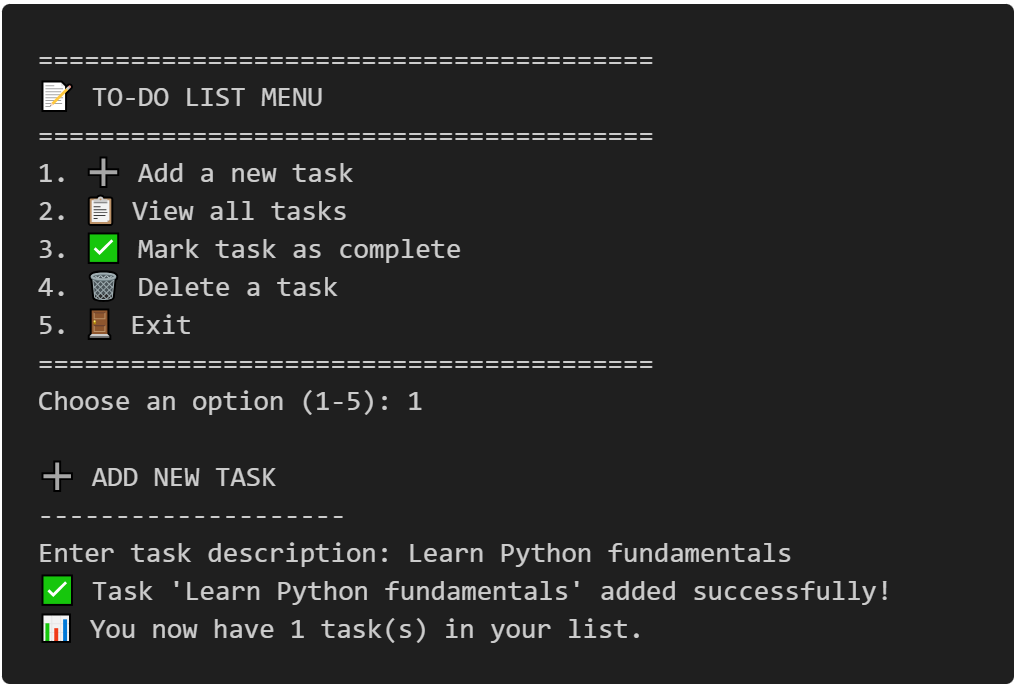
To-Do CLI App
Interactive command-line to-do list manager with Python, featuring list operations, persistent tasks, and practical coding exercises.
View Project →
Weather App
Responsive weather app with real-time API data, feature comparison, and intuitive design for global city forecasts.
View Project →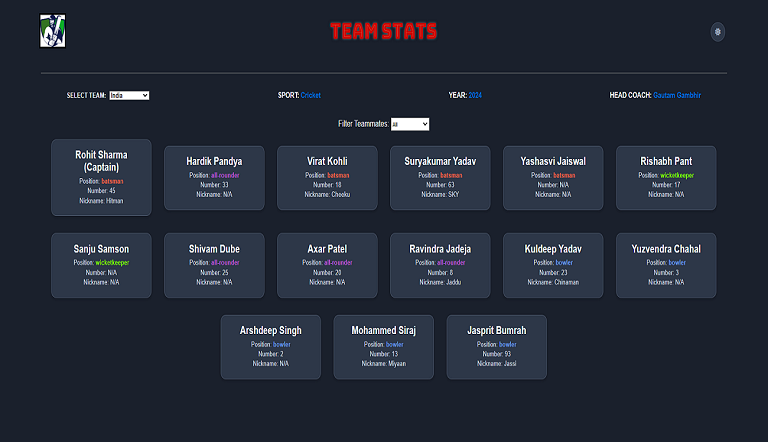
Team Card App
Interactive team card application for cricket, featuring dynamic team selection, player filters, and customizable light/dark themes.
View Project →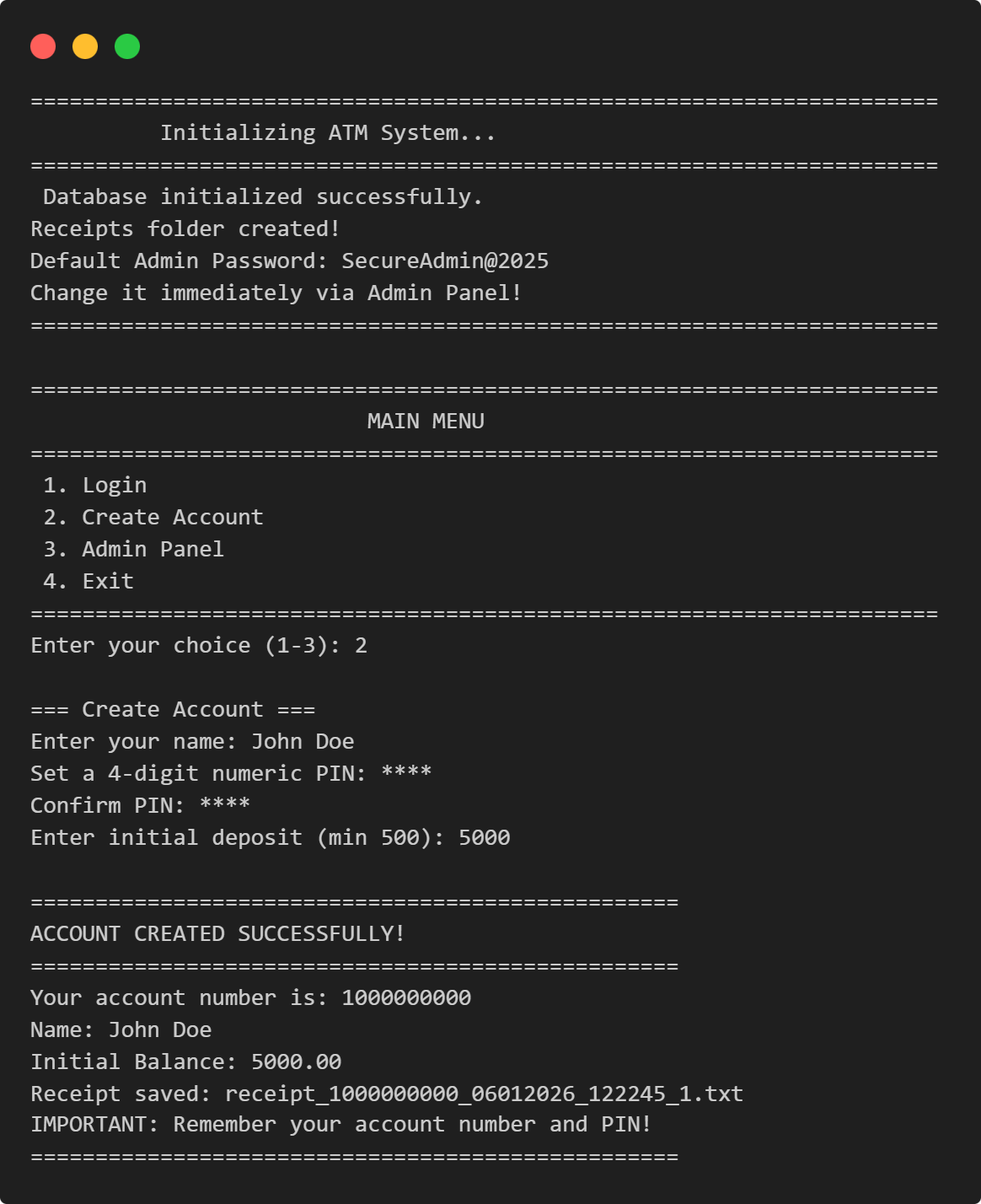
ATM Management System in Python
This Python application implements a multi-user ATM system with SQLite-backed persistence, featuring account management, financial transactions, and administrative controls.
View Project →
VPN Connectivity verification in C
Efficient C program to verify VPN status, routing, and DNS configurations through comprehensive public IP and network adapter analysis.
View Project →